
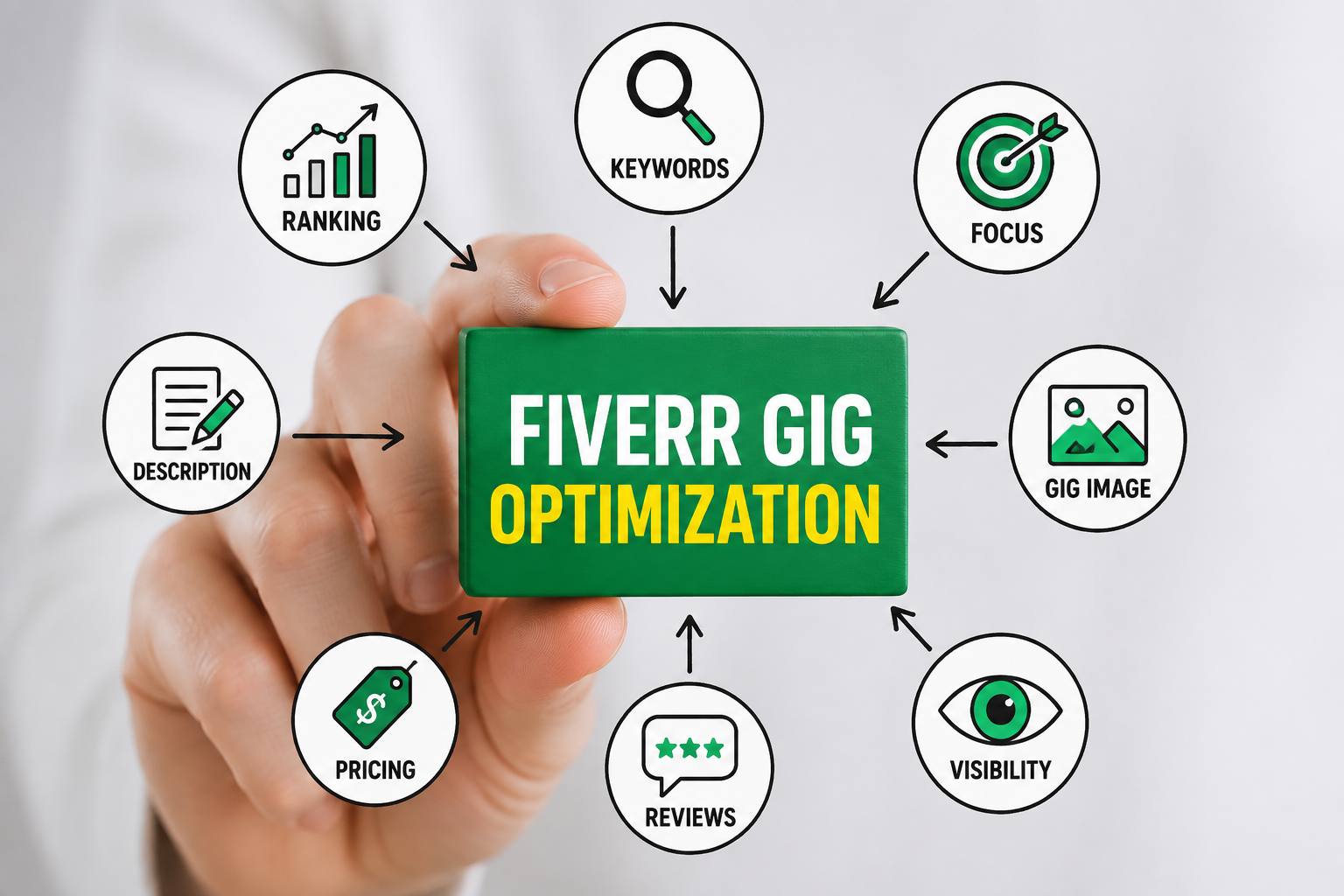
Complete Fiverr Gig Optimization Guide for Beginners (2026)
The first Fiverr Gig I created looked pretty good to me.
The title sounded professional, the description was full of words like “high quality” and “expert,” and I had uploaded a thumbnail that I thought looked impressive.
Then I published it.
And nothing much happened.
That experience taught me something I wish I’d understood before creating my first Gig: Fiverr Gig Optimization isn’t simply about publishing a service and adding a few keywords. It’s about making your Gig easy to find, easy to understand, and easy to trust.
If you’re new to Fiverr in 2026, you may be wondering why one Gig gets clicks and orders while another seemingly similar Gig gets almost no attention.
Sometimes the difference is the service itself. But quite often, it comes down to how well the Gig is presented.
In this guide, I’ll walk you through Fiverr Gig Optimization from the ground up, including keyword research, Gig titles, descriptions, tags, pricing, images, packages, FAQs, buyer requirements, and performance improvements.
The goal isn’t to make your Gig sound like a robot wrote it.
The goal is to make a real buyer think:
“Yes, this is exactly what I need.”
Fiverr Gig Optimization Starts With the Right Foundation
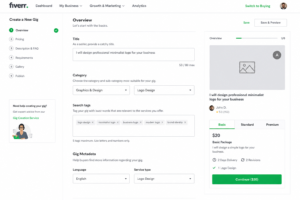
Before worrying about rankings, impressions, or orders, start with the basics.
A common beginner mistake is creating a Gig around a broad skill instead of a specific service.
For example:
I will do professional graphic design
That’s too broad.
What kind of graphic design?
Logo design?
Social media posts?
YouTube thumbnails?
Business cards?
Packaging?
A buyer shouldn’t have to figure that out.
A stronger Gig would be:
I will design modern Instagram posts for your business
Now the service is clear.
This is the first principle of Fiverr Gig Optimization:
Don’t make the buyer guess what you’re selling.
1. Choose One Specific Fiverr Service
The easiest way to improve your Fiverr Gig Optimization is to narrow your offer.
Instead of trying to sell every skill you have, choose one service with a clear outcome.
For example:
| Broad Service | More Specific Gig |
|---|---|
| Graphic Design | Instagram Post Design |
| Writing | Blog Post Writing |
| Video Editing | YouTube Shorts Editing |
| SEO | On-Page SEO Optimization |
| Web Development | WordPress Business Website |
| Voice Over | English YouTube Voice Over |
| Data Entry | Excel Data Cleaning |
This makes every other part of your Fiverr Gig Optimization easier.
Your keyword becomes clearer.
Your title becomes clearer.
Your portfolio becomes more relevant.
Your thumbnail becomes easier to design.
Your packages become easier to build.
And your buyer knows exactly what they’re getting.
2. Research Fiverr Before Optimizing Your Gig
One of the best things you can do before starting Fiverr Gig Optimization is to behave like a buyer.
Search Fiverr for your service.
If you want to sell logo design, search:
- logo design
- minimalist logo
- business logo
- modern logo design
- startup logo
Now look through the listings.
Don’t copy them.
Study them.
Pay attention to:
- Common words in Gig titles
- Thumbnail styles
- Package structures
- Delivery times
- Number of revisions
- Services included
- Portfolio presentation
- Questions buyers may have
This research gives you an idea of what the market already expects.
It can also show you where competitors are weak.
Maybe most sellers use generic thumbnails.
Maybe everyone offers almost identical packages.
Maybe descriptions are long but don’t explain what’s actually included.
Those are opportunities.
Good Fiverr Gig Optimization isn’t about copying what the biggest sellers are doing. It’s about understanding the market and making your own offer clearer.
3. Find the Right Keywords for Fiverr Gig Optimization
Keywords matter because buyers use words and phrases to find services.
However, you don’t want to turn your Gig into a pile of repeated keywords.
Let’s say you’re selling WordPress speed optimization.
Possible keyword ideas could include:
- WordPress speed optimization
- website speed
- WordPress performance
- page speed optimization
- website optimization
The best keyword depends on your exact service.
The important thing is relevance.
If a keyword doesn’t describe your actual service, don’t use it simply because you think it might bring traffic.
Keyword relevance test
Before adding a keyword, ask:
“If someone searched this phrase, would they genuinely want the service I’m offering?”
If the answer is yes, it’s worth considering.
If the answer is no, leave it alone.
4. Create a Strong Fiverr Gig Title
Your Gig title is one of the most important parts of Fiverr Gig Optimization.
It should tell the buyer exactly what you do.
Compare:
❌ I will provide professional and amazing digital solutions
with:
✅ I will design modern Instagram posts for your business
The second title is much stronger because it provides actual information.
A buyer immediately understands the service.
Avoid stuffing your title
Don’t write something like:
I will design Instagram posts Instagram design social media posts Instagram graphics
That’s not good Fiverr Gig Optimization.
That’s keyword stuffing.
A good title should sound like something a real person would naturally say.
5. Select the Correct Fiverr Category
Your category helps Fiverr understand where your service belongs.
If you’re offering video editing, select the category that actually represents video editing.
If you’re providing logo design, place it where buyers would expect to find logo design.
Don’t select an unrelated category just because you think it has less competition.
The objective of Fiverr Gig Optimization is not to confuse the platform.
It’s to make your service easier for the right customer to discover.
6. Use Search Tags Naturally
Search tags are another part of Fiverr Gig Optimization.
Use relevant terms that describe your service.
For example, a YouTube thumbnail Gig might use phrases related to:
- YouTube thumbnail
- thumbnail design
- YouTube graphics
- gaming thumbnail
- video thumbnail
Don’t use unrelated popular terms.
If you’re selling a resume-writing service, adding “logo design” makes no sense.
More keywords don’t automatically mean better optimization.
Better relevance beats more keywords.
Quick Fiverr Gig Optimization Foundation Checklist
Before moving to the next stage, check:
☑ Your service is specific
☑ Your target buyer is clear
☑ You’ve researched competing Gigs
☑ You’ve identified relevant keywords
☑ Your title clearly explains the service
☑ Your category matches the service
☑ Your tags are relevant
☑ Your Gig isn’t stuffed with keywords
If these basics aren’t right, fix them first.
Fiverr Gig Optimization for More Clicks and Better Conversions
Getting your Gig discovered is only half the job.
Someone can see your Gig in search results and still ignore it.
That’s why successful Fiverr Gig Optimization needs to focus on both visibility and conversion.
Your Gig needs to answer three questions quickly:
- What do you offer?
- Why should I trust you?
- What exactly will I receive?
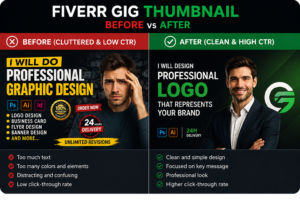
7. Design a Professional Fiverr Gig Image
Your thumbnail can have a huge impact on whether someone clicks.
Imagine you’re searching Fiverr on your phone.
You scroll through several listings.
One thumbnail is packed with text, random icons, badges, arrows, and stock photos.
Another shows a clean portfolio sample with a simple headline.
Which one feels easier to understand?
Usually, the second.
Your Fiverr Gig image should make your service obvious.
Examples
For logo design:
Show actual logos you’ve created.
For website design:
Show a clean website mockup.
For video editing:
Show a frame from your actual editing work.
For social media design:
Show several consistent post designs.
Useful tools
You can create simple Fiverr Gig graphics using:
- Canva
- Adobe Express
- Figma
- Photoshop
- PowerPoint
You don’t need expensive software.
You need a clean presentation.
8. Use Real Portfolio Samples
Portfolio samples are especially important when you’re a new Fiverr seller.
You may not have dozens of reviews yet, so buyers need another reason to believe you can do the work.
Create sample projects.
For example, if you’re offering restaurant social media designs, create a fictional restaurant brand and design:
- Instagram posts
- Story graphics
- Promotional banners
- Menu graphics
If you’re offering website design, create two or three demo websites.
If you’re offering copywriting, create sample articles.
Just make sure you’re honest.
Don’t present fictional work as work completed for a real client.
Honest portfolio presentation is an important part of professional Fiverr Gig Optimization.
9. Write Your Gig Description for the Buyer
This is another place where beginners often make a mistake.
They start with:
Hello! My name is John and I am a professional freelancer with five years of experience…
The buyer may eventually want to know about you.
But first, they want to know whether you can solve their problem.
Try starting with the problem.
For example:
Need professional Instagram posts that match your brand? I create custom social media designs based on your colors, fonts, content, and preferred style.
That immediately explains the value.
A simple Fiverr description structure
Use:
Problem → Solution → Deliverables → Process → Requirements
Example:
Need clean YouTube thumbnails that fit your channel’s style?
I create custom thumbnails based on your video topic, branding, and preferred visual style.
Depending on your package, you’ll receive high-resolution files, revisions, and source files where included.
To begin, send your video title or topic, branding assets, and any reference examples you like.
If you’re unsure which package is best for you, feel free to message me before ordering.
That’s much more useful than repeating “professional” ten times.
10. Build Three Packages With Real Differences
Fiverr allows sellers to offer different package levels.
Use that feature strategically.
Here’s an example for a logo design Gig:
| Feature | Basic | Standard | Premium |
|---|---|---|---|
| Logo Concepts | 1 | 2 | 3 |
| Revisions | 2 | 4 | 5 |
| PNG/JPG | ✓ | ✓ | ✓ |
| Source File | — | ✓ | ✓ |
| Color Palette | — | ✓ | ✓ |
| Multiple Formats | — | — | ✓ |
The exact structure depends on your service.
The important thing is that the buyer can immediately understand the difference.
Don’t create:
Basic: Good
Standard: Better
Premium: Best
That’s not useful.
Tell buyers exactly what changes between packages.
11. Don’t Compete Only on Price
Cheap pricing can sometimes help a beginner get attention.
But there’s a problem.
If your service takes four hours and you’re charging $5, you’re building a workload that may become difficult to maintain.
Instead, create a small starter package.
For example:
Basic: One simple design
Standard: Multiple designs + source files
Premium: Complete design package + additional assets
Now the buyer can choose based on their needs.
That’s much better Fiverr Gig Optimization than simply being the cheapest seller.
12. Set Delivery Times You Can Actually Meet
A 24-hour delivery promise sounds attractive.
Until you have six orders.
Then you’re working under pressure and worrying about deadlines.
Set realistic delivery times.
If you normally need three days, don’t promise one day just to make your Gig look more competitive.
Reliable delivery can help create a much better customer experience.
Don’t optimize your Gig for an order you can’t comfortably handle.
13. Add FAQs That Remove Buyer Doubts
A useful FAQ section can answer questions before buyers message you.
For example:
Do you provide source files?
Explain which package includes source files.
Can you work with my existing design?
Explain whether you offer redesigns, edits, or new designs.
Can I request revisions?
Clearly explain the revision policy.
Can you deliver faster?
Explain whether rush delivery is available depending on workload.
What do you need from me?
Give buyers a short list of required information.
Good FAQs aren’t filler.
They’re part of Fiverr Gig Optimization because they remove friction from the buying process.
14. Make Your Buyer Requirements Specific
Imagine you’re a video editor.
A client orders your service, but you don’t have:
- Raw footage
- Final video length
- Brand colors
- Music preference
- Platform
- Reference video
You can’t start properly.
So you spend time sending messages back and forth.
A better requirement section might ask:
Please provide:
- Raw footage
- Desired video length
- Platform
- Preferred editing style
- Logo or brand assets
- Reference video
- Captions/text
- Additional instructions
This simple change can save a lot of time.
15. Add a Gig Video When It Helps
Not every service needs a video, but some can benefit greatly from one.
A short video can work especially well for:
- Video editing
- Website development
- Animation
- Graphic design
- Photoshop editing
- UI/UX design
Show the final result first.
Then briefly explain what you do.
Then show examples.
You don’t need cinematic production.
A simple screen recording with clear narration can be enough.
Advanced Fiverr Gig Optimization, Analytics and Common Mistakes
Once your Gig is published, the optimization process isn’t finished.
Actually, this is where the most useful learning begins.
You can start observing what buyers do.
Do they see the Gig?
Do they click?
Do they message you?
Do they order?
Do they ask the same questions repeatedly?
Each behavior gives you information.
16. Understand the Fiverr Gig Funnel
Think of your Gig like this:
Impressions → Clicks → Orders
Each stage can tell you something different.
High impressions + low clicks
Your Gig may be appearing in search, but the presentation isn’t convincing enough.
Look at:
- Thumbnail
- Title
- Service positioning
- Main offer
Good clicks + few orders
Now your title and image may be doing their job.
The problem could be:
- Price
- Packages
- Description
- Portfolio
- Trust
- Deliverables
- Lack of differentiation
Orders + excessive revisions
Now the problem may be your requirements.
Maybe buyers don’t understand what’s included.
Maybe your package boundaries aren’t clear.
Maybe you’re accepting projects that don’t fit your service.
This is why Fiverr Gig Optimization goes beyond search rankings.
You need to optimize the whole customer journey.
17. Don’t Change Everything Every Day
This is one of the biggest mistakes I see beginners make.
They publish a Gig.
Two days later:
“No orders.”
So they change the title.
Then the tags.
Then the image.
Then the price.
Then the description.
Now they have no idea what actually made a difference.
Instead, make controlled improvements.
For example:
Week 1: Improve your thumbnail.
Week 2: Improve your description.
Week 3: Review your packages.
Week 4: Review your buyer questions and performance.
Good Fiverr Gig Optimization is an ongoing process, not a daily panic routine.
18. Use Buyer Questions as Optimization Data
Your buyers can tell you exactly what needs improvement.
Suppose several people ask:
“Do you provide the source file?”
Add it to your FAQ.
If people keep asking:
“Can you design this in Canva?”
Mention it if relevant.
If buyers don’t understand what your Basic package includes, rewrite the package.
If people repeatedly ask for a service you don’t offer, clarify the limitation.
Every repeated question is an opportunity to improve your Gig.
19. Don’t Copy Competitors
Research is useful.
Copying isn’t.
Look at competitors to understand:
- Buyer expectations
- Popular services
- Common pricing structures
- Visual presentation
- Frequently mentioned deliverables
Then create your own version.
Your description should be original.
Your portfolio should be your work.
Your claims should be truthful.
Your offer should reflect what you can actually deliver.
That makes your Fiverr Gig Optimization more sustainable.
20. Avoid Unrealistic Promises
Never build your Gig around claims you can’t control.
For example:
❌ “I guarantee #1 Google ranking.”
❌ “This thumbnail will definitely go viral.”
❌ “I’ll guarantee $10,000 in sales.”
These claims create unrealistic expectations.
Instead, explain exactly what you’re delivering.
For example:
I will optimize the on-page SEO elements of your website based on your target keywords and provided information.
That’s specific.
That’s understandable.
And that’s much more professional.
21. Don’t Try to Manipulate Reviews
Reviews matter.
But asking buyers to leave fake or misleading feedback isn’t the answer.
Focus on the things you can control:
- Quality of work
- Communication
- Delivery
- Requirements
- Revision process
- Professionalism
If you consistently provide what you promised, positive feedback has a much more natural path.
22. Use AI as a Tool, Not as Your Entire Strategy
AI can be useful for Fiverr Gig Optimization.
For example, you can use AI to brainstorm:
- Gig title ideas
- FAQ questions
- Buyer objections
- Description structures
- Keyword variations
- Package ideas
But don’t simply generate a Gig and paste it unchanged.
That’s how your listing starts sounding generic.
Add your actual experience.
Instead of:
“I provide high-quality professional services tailored to your unique needs.”
say something specific:
“Send me your existing website and I’ll review the homepage, mobile layout, navigation, and visual consistency before I begin the redesign.”
The second sentence sounds more credible because it tells the buyer what you actually do.
23. Fiverr Gig Optimization: Before vs. After Example
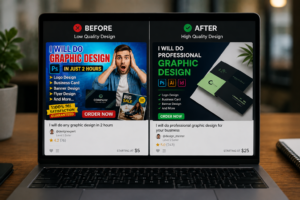
[IMAGE PLACEHOLDER — Side-by-side before-and-after Fiverr Gig example]
Let’s take a simple example.
Before
Title:
I will do professional graphic design
Description:
Hello sir/madam. I am a professional graphic designer. I have many years of experience and I will provide high-quality work with customer satisfaction.
Thumbnail:
Generic stock image with lots of text.
Packages:
Basic: Design
Standard: Better Design
Premium: Best Design
The problem?
It’s vague.
Now let’s optimize it.
After
Title:
I will design modern Instagram posts for your business
Description opening:
Need consistent Instagram graphics that match your brand? I create custom social media posts using your preferred colors, fonts, content, and visual style.
Thumbnail:
Three actual Instagram designs displayed in a clean layout.
Packages:
| Package | What You Get |
|---|---|
| Basic | 3 Instagram posts |
| Standard | 6 posts + source files |
| Premium | 12 posts + source files + story designs |
Now the buyer knows:
- What the service is
- Who it’s for
- What the seller creates
- What each package contains
- What the work actually looks like
That’s what good Fiverr Gig Optimization should accomplish.
24. A Practical Fiverr Gig Optimization Workflow
If you’re overwhelmed by all these steps, follow this sequence.
Step 1: Pick one specific service
Avoid overly broad Gigs.
Step 2: Research Fiverr
Study competing listings and buyer expectations.
Step 3: Find relevant keywords
Use phrases that describe the service naturally.
Step 4: Write the title
Make the offer immediately understandable.
Step 5: Create your Gig images
Use real portfolio examples whenever possible.
Step 6: Write the description
Start with the customer’s problem and explain the solution.
Step 7: Build your packages
Make each package meaningfully different.
Step 8: Add FAQs
Answer common buyer concerns.
Step 9: Set buyer requirements
Collect the information you need before starting.
Step 10: Publish
Don’t wait forever for perfection.
Step 11: Monitor performance
Watch impressions, clicks, messages, and orders.
Step 12: Improve gradually
Change one major element at a time.
That’s a much more practical approach to Fiverr Gig Optimization than constantly changing random keywords.
25. Fiverr Gig Optimization Checklist for Beginners
Before publishing your Gig, use this checklist.
Fiverr Gig SEO
☐ Main service keyword identified
☐ Keyword naturally included in the title
☐ Relevant tags selected
☐ No keyword stuffing
☐ Description written for humans
Fiverr Gig Presentation
☐ Main image is clean
☐ Portfolio samples are relevant
☐ Images represent the actual service
☐ No misleading claims
Fiverr Gig Description
☐ Customer problem explained
☐ Service clearly explained
☐ Deliverables listed
☐ Process explained
☐ Limitations mentioned
Fiverr Gig Packages
☐ Basic package is useful
☐ Standard package adds meaningful value
☐ Premium package provides a clear upgrade
☐ Delivery times are realistic
☐ Revisions are defined
Buyer Experience
☐ FAQs answer common questions
☐ Requirements collect necessary information
☐ Communication expectations are clear
☐ Claims are honest
☐ Portfolio work is genuine
26. What I’d Do If I Were Starting Fiverr Today
If I were starting a new Fiverr account in 2026, I wouldn’t try to create dozens of random services.
I’d start with one focused Gig.
I’d research competitors.
I’d identify the exact type of buyer I wanted.
Then I’d build the Gig around that buyer.
My initial Fiverr Gig Optimization process would look like this:
1. Choose one service
2. Find relevant search phrases
3. Study competing Gigs
4. Create a clear title
5. Build strong portfolio samples
6. Create a simple thumbnail
7. Write a buyer-focused description
8. Build useful packages
9. Add FAQs
10. Set clear requirements
11. Publish
12. Study what happens
The last step is important.
Your first Gig isn’t supposed to teach you everything.
It teaches you what the market responds to.
27. The Biggest Lesson About Fiverr Gig Optimization
After spending time looking at what makes service listings work, one thing becomes clear:
Fiverr Gig Optimization is not simply about adding keywords.
Keywords can help your Gig communicate relevance.
But relevance alone doesn’t create a sale.
A buyer also needs to understand your service.
They need to trust your work.
They need to know the price.
They need to understand the delivery time.
They need to know what’s included.
And they need to feel confident that you understand their problem.
That’s why a well-optimized Gig works more like a small sales page than a keyword list.
Your title gets attention.
Your image earns the click.
Your description builds understanding.
Your portfolio builds trust.
Your packages simplify the decision.
Your FAQs remove hesitation.
Your requirements prevent confusion.
And your delivery determines whether the buyer has a good experience.
That’s the complete picture of Fiverr Gig Optimization.
Final Thoughts on Fiverr Gig Optimization
If you’re new to Fiverr, don’t worry about making your first Gig absolutely perfect.
Make it clear first.
Then make it better.
Start with a specific service.
Research what buyers are actually searching for.
Use your primary service keyword naturally.
Write a title that tells people exactly what you’re offering.
Create images that show your real work.
Write a description that focuses on the buyer instead of filling the page with generic claims.
Build packages that make sense.
Set realistic delivery times.
Answer common questions.
Collect the information you need before starting an order.
Then watch what happens.
If your Gig gets impressions but few clicks, look at your title and images.
If you get clicks but few orders, review your pricing, description, packages, portfolio, and trust signals.
If you get orders but too many revisions, improve your requirements and package boundaries.
That is the part of Fiverr Gig Optimization that many beginners miss.
You aren’t simply trying to rank.
You’re trying to create a Gig that makes the right buyer comfortable enough to click Order Now.
And that’s a much better goal to build your Fiverr business around.
Frequently Asked Questions About Fiverr Gig Optimization
1. What is Fiverr Gig Optimization?
Fiverr Gig Optimization is the process of improving your Fiverr Gig so the right buyers can find, understand, and trust your service. It includes optimizing the Gig title, keywords, tags, description, images, pricing, packages, FAQs, and buyer requirements.
2. Why is Fiverr Gig Optimization important for beginners?
Fiverr Gig Optimization helps beginners present their services more clearly and professionally. A well-optimized Gig can make it easier for potential buyers to understand what you offer and decide whether your service is right for them.
3. How do I optimize my Fiverr Gig for search?
Start by choosing a specific service and researching relevant phrases buyers may use. Use your main service keyword naturally in your Gig title and description, select relevant search tags, choose the correct category, and make sure your overall Gig accurately represents the service.
4. How many keywords should I use in a Fiverr Gig?
There is no need to repeat the same keyword excessively. Focus on a small number of highly relevant search terms and use them naturally. Good Fiverr Gig Optimization prioritizes relevance and readability instead of keyword stuffing.
5. Does the Fiverr Gig title affect search visibility?
Your Gig title helps communicate what your service is about. A clear, specific title can make it easier for potential buyers to understand your offer and determine whether your Gig matches their search.
6. How can I improve my Fiverr Gig thumbnail?
Use a clean, relevant image that clearly represents your service. Showing genuine portfolio work is usually more useful than filling the thumbnail with promotional text. Keep the design easy to understand, especially on smaller screens.
7. Should I use the same keywords in my title and tags?
Your title and tags can cover related search terms, but you don’t need to repeat the exact same phrase everywhere. Use relevant variations naturally while keeping everything closely related to the actual service you’re offering.
8. How long should a Fiverr Gig description be?
The description should be long enough to explain the service, deliverables, process, requirements, and important limitations without unnecessary repetition. Focus on useful information rather than trying to make the description longer simply for SEO.
9. Can Fiverr Gig Optimization guarantee more orders?
No. Fiverr Gig Optimization can improve the clarity and presentation of your service, but it cannot guarantee impressions, rankings, or orders. Results can also depend on competition, service quality, buyer demand, pricing, reviews, and overall seller performance.
10. Should beginners create multiple Fiverr Gigs?
It’s usually better to start with a focused service and learn what buyers respond to before creating many unrelated Gigs. Once you understand your niche and have the capacity to manage additional services, you can consider expanding.
11. How often should I optimize my Fiverr Gig?
Don’t make random changes every day. Review your Gig periodically and make meaningful improvements based on performance, buyer questions, and the quality of your offer. Testing one major change at a time can make it easier to understand what helped.
12. Can AI tools help with Fiverr Gig Optimization?
Yes. AI tools can help brainstorm titles, keyword ideas, FAQs, descriptions, and buyer questions. However, your final Gig should reflect your actual skills, experience, services, and portfolio rather than generic AI-generated wording.
13. What should I do if my Fiverr Gig gets impressions but no clicks?
Review your Gig title, thumbnail, service positioning, and overall offer. If buyers are seeing the Gig but aren’t clicking, the presentation may not be communicating enough value or relevance.
14. What if my Fiverr Gig gets clicks but no orders?
Look beyond SEO. Review your pricing, packages, description, portfolio, delivery time, revisions, FAQs, and trust signals. The issue may be conversion rather than search visibility.
15. What is the biggest Fiverr Gig Optimization mistake beginners make?
One of the biggest mistakes is focusing only on keywords. Effective Fiverr Gig Optimization covers the entire buyer journey—from search and clicking to understanding the offer, trusting the seller, placing an order, and receiving the promised service.